
 Debasree Panda
 Large language models like GPT-4 or Claude are incredible, but they come with a catch: you’re sending your data to someone else’s servers, paying per token, and depending on an internet connection. For a growing number of developers and companies, that trade-off is no longer worth it. Enter the Small Language Model (SLM) — a compact, efficient model you can run entirely on your own hardware.
The Problem with Relying on Large, Cloud-Hosted Models
Massive frontier models are powerful, but that power comes at a cost that many use cases simply don’t need:
- Privacy risk — sensitive documents, code, or customer data get sent to a third-party API.
- Ongoing cost — per-token pricing adds up fast at scale.
- Latency — every request makes a round trip to a remote data center.
- Dependency — no internet or API outage means no model.
- Overkill — a 70B+ parameter model is often massive overkill for narrow, repetitive tasks like classification, summarization, or internal chatbots.
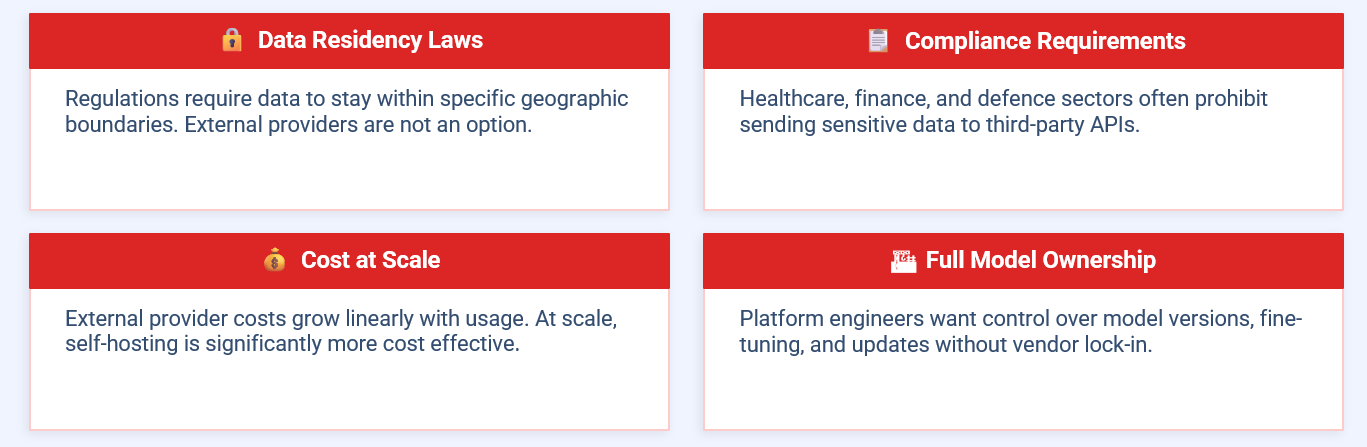
This is exactly the gap SLMs are built to fill. Models in the 1B–14B parameter range — like Llama 3.2, Phi-3, Gemma 2, or Mistral 7B — can run comfortably on a laptop, a single GPU, or even a Raspberry Pi for the smallest variants, while still delivering strong results on well-defined tasks.
Self-Hosting an SLM with Ollama
The easiest on-ramp to self-hosted SLMs today is Ollama, an open-source tool that packages model weights, a runtime, and an API server into a single command. Instead of wrestling with CUDA drivers and Python dependency hell, you install Ollama, pull a model, and start chatting or calling a local API — all offline.
Here’s roughly how the pieces fit together in a typical self-hosted setup:
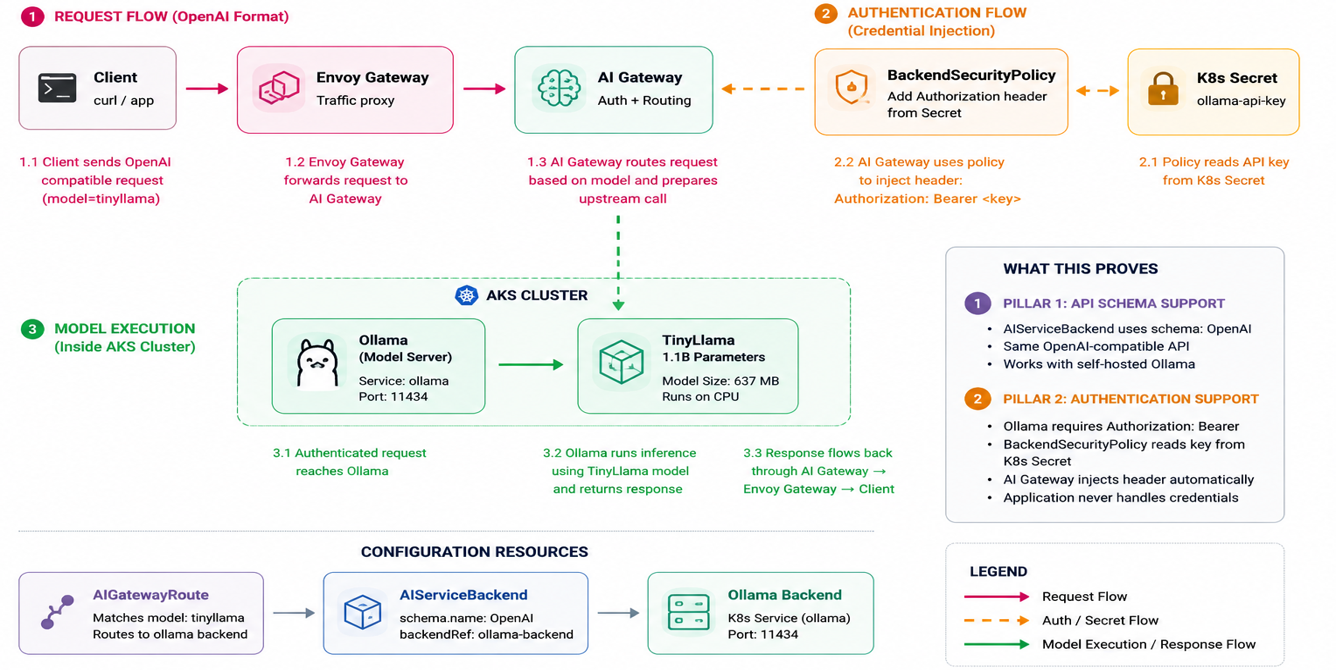
At the base sits your hardware — a local machine, an on-prem server, or a private cloud VM with a GPU. Ollama runs as a background service that manages downloaded model weights and exposes a REST API on localhost:11434. Your application, whether it’s a CLI tool, a web app, or an internal automation script, talks to that local API exactly the way it would talk to any hosted LLM endpoint, except every request stays inside your own network.
Getting Started
- Install Ollama for macOS, Linux, or Windows from the official site.
- Pull a model, for example
ollama run llama3.2. - Chat with it directly in the terminal, or send requests to the local REST API from your own app.
- Swap in a different model anytime — quantized versions let you trade a little accuracy for a much smaller memory footprint.
When Self-Hosting Makes Sense
Self-hosted SLMs aren’t a replacement for frontier models on every task — complex, open-ended reasoning still benefits from a large cloud model. But for internal tools, document processing pipelines, coding assistants scoped to a private codebase, customer support triage, or anything where data privacy and predictable cost matter more than raw capability, a self-hosted SLM running on Ollama is often the more practical choice.
The result: full control over your data, no per-token bills, and a model that keeps working even when your internet connection doesn’t.

